

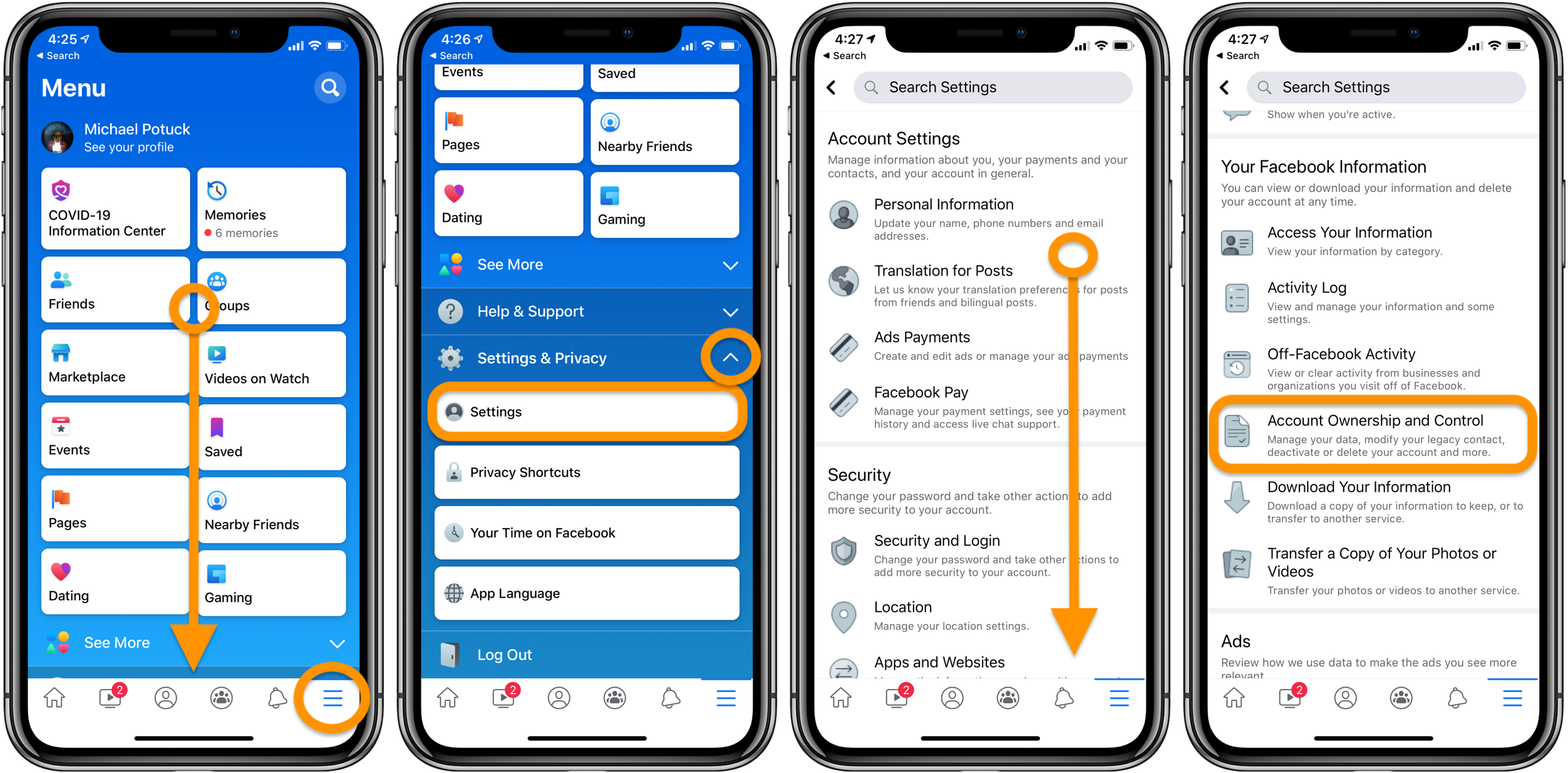
Are you wondering how to delete your Facebook account? If you’ve given up on the world’s most prominent social network media platform, unsubscribing from the service isn’t too tricky. However, before you delete all of those photos, messages, and likes, you can download your Facebook identifiable personal information.
Your Facebook archives contain nearly all of the relevant information about your account, such as photographs, active sessions, chat history, IP addresses, face recognition data, as well as which advertisements you tapped, to name a few examples. That’s a lot of personal details you should have on hand.
There are two ways on how to delete your Facebook account, depending on whether you’re worried about your internet privacy or want to withdraw from social media: You have the option of temporarily deactivating your account or completely deleting it.
Please bear in mind that the bulk of the data on this article came from Facebook and other trustworthy online social platforms. The steps and techniques in this article are organized to make it easier for the consumer.
TECHNOLOGY
TECHNOLOGY
TECHNOLOGY
Deleting versus deactivating a Facebook Account
The primary distinction between deactivating and deleting a Facebook account is that deactivating your account allows you to return anytime you like while deleting your account is a permanent action.



