

Are you wondering how to compress a video? It is often somewhat annoying to get notifications like “file too large” when uploading a video file on social media or any other media outlet. We all know that compression of large video files to make the video smaller generally reduces the quality of the files being sent.
When comments, appraisals, and approvals are needed from clients or collaborators, it is essential to give the best quality video files to the recipient to reduce the criticism that may be gotten from viewing the video file. Now, to the main point, is it possible to compress video files without losing the quality? Absolutely!
There are a few ways video files can be compressed, and certain scenarios favor certain procedures. We’ll take you on a step-by-step guide, as well as advise you on what video editor to use when you want to compress a large video file to smaller file size while maintaining high quality.
Online Reduction of Video Resolution
Photo Credit: Wikipedia
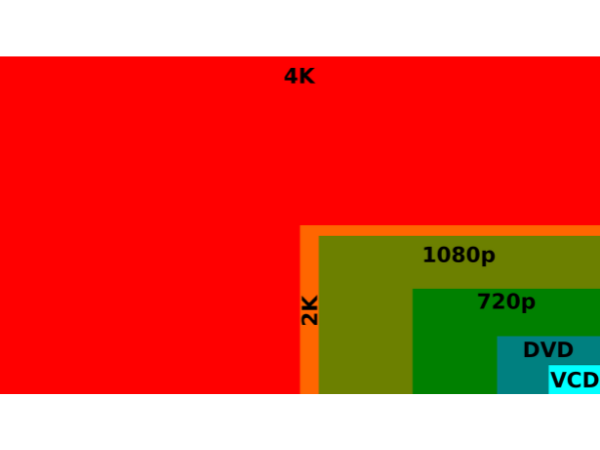
Many people often hear the term “resolution” but have little or no idea what it is. Resolution is also known as “aspect ratio,” It is defined as the number of pixels on display. The resolution of a video is directly proportional to the quality of the video.
TECHNOLOGY
TECHNOLOGY
TECHNOLOGY
This means that the higher a video resolution, the higher the video quality, and the lower the resolution, the smaller the size. HD video usually has a resolution of 1920 × 1080 pixels, and lowering the resolution reduces the quality of the videos.
Now here’s the trick. To compress a video to a resolution of 1280 × 720p or 854 × 480p makes little or no difference to the individual receiving the video, as long as the compression is done online. This goes a long way in maintaining the quality of videos, especially when the video is meant for email sharing etc.



