Finance Inquirer
No Result
View All Result
Friday, November 6, 2026
  • Login
  • Home
  • Business
  • Technology
  • Finance
  • Stock Market
Subscribe
Finance Inquirer
  • Home
  • Business
  • Technology
  • Finance
  • Stock Market
No Result
View All Result
Finance Inquirer
No Result
View All Result
Home Technology

Steam Deck’s hidden shortcuts make it easy to snap screenshots and call up the keyboard

Tom Hagler by Tom Hagler
14.03.2022
in Technology
Steam Deck’s hidden shortcuts make it easy to snap screenshots and call up the keyboard
152
SHARES
1.9k
VIEWS
Share on FacebookShare on Twitter

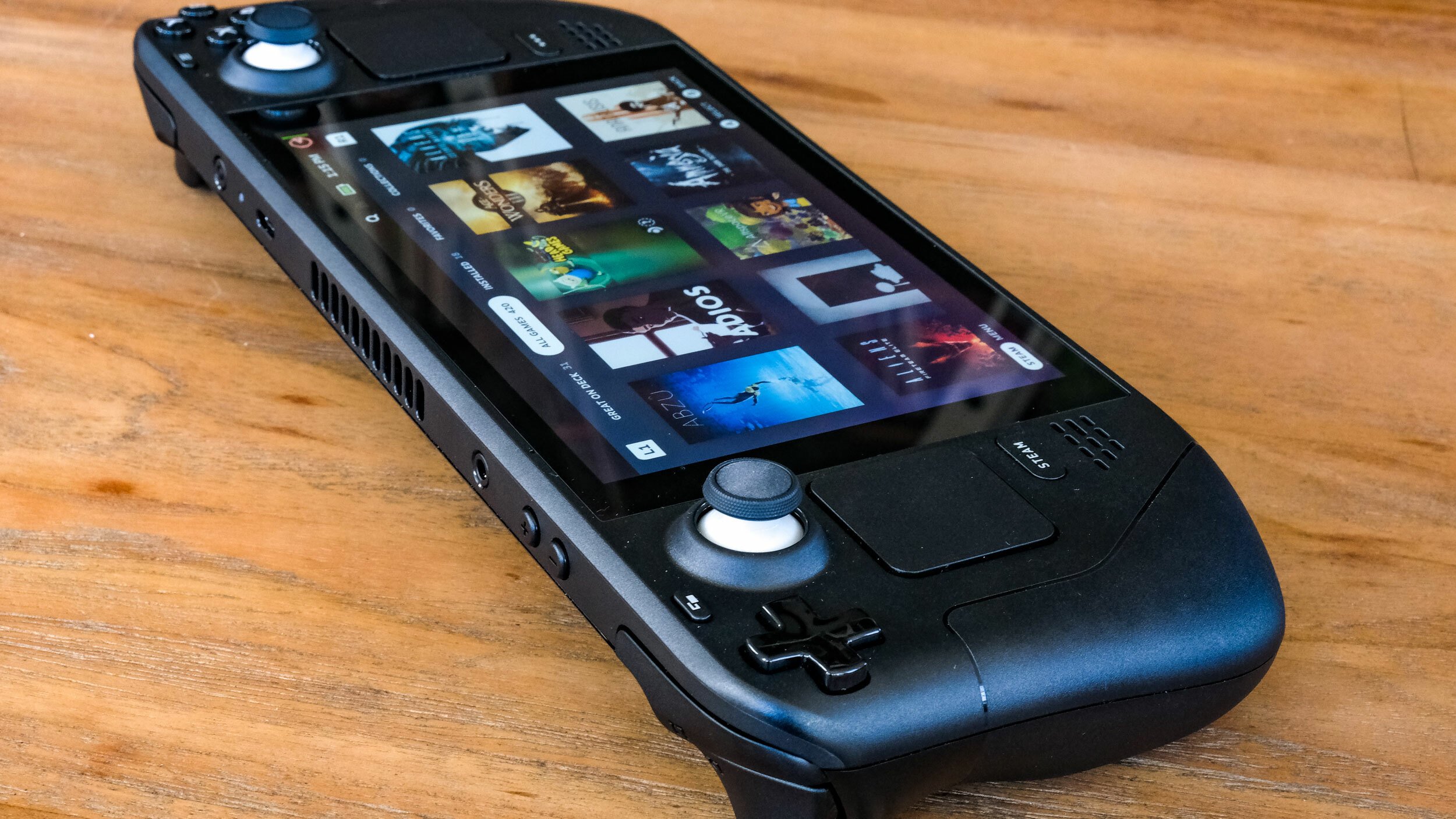
Valve’s Steam Deck is an impressive piece of gaming tech, but there’s definitely a learning curve.

Even if you’re familiar with the Steam store, and its TV-friendly “Big Picture Mode” that the Deck’s SteamOS resembles, it still takes time to figure out how basic features from Steam on PC translate to the portable device’s gamepad-style controls. It’s easier than you might think at first, though.

Valve doesn’t make it apparent up front, but Steam Deck users have a ton of button-based shortcuts they can lean on for help. All of those shortcuts involve holding the “Steam” button in tandem with one of the other buttons to produce different effects. Like I said, easy stuff.

The most important one to know just involves the Steam button. If you press and hold it at virtually any time, a whole list of all the available shortcuts pops up until you release the button. So for those times when you forget — like I have numerous times — you can refresh your memory painlessly, without having to turn to an internet search engine.

A screenshot of the Steam Deck's list of shortcut commands. Credit: Valve / Screenshot by Mashable

In terms of what I’ve used most, the Take Screenshot shortcut (Steam + R1) captures whatever is on your screen and loads it into an on-device library. If you want to then make your screenshots accessible on a computer (or some other device where you have Steam installed), you can easily send them to the cloud. Head to the Steam Deck’s Media menu, highlight the screenshot you want to upload, press the Options button, and select Upload. That’s it!

The virtual keyboard shortcut is also extremely useful for the many Steam Deck-supported games that require occasional typing. Just press Steam + X to summon a smartphone-style keyboard in a flash.

There’s one catch, however. The virtual keyboard only works when Steam is actually running. In the standard SteamOS mode, that means you can call up the keyboard from virtually anywhere. But the feature is more limited if you’re using the Windows-style “Desktop Mode.” It still works in apps like Chrome, but you’ll need to have the desktop version of Steam running in the background (there’s an icon for it on the desktop). You probably won’t use the feature too often in desktop, but it’s useful for those times when you want to install non-Steam apps like Discord.

You can also tweak the screen brightness in an instant — which can help preserve battery life — by holding that Steam button and tilting the left thumbstick up or down to increase or decrease brightness, respectively.

SEE ALSO: Valve’s big swing with Steam Deck is a hit, but it’s not a home run

  • How to see if your favorite games will work on Steam Deck

  • What is Itch.io? This oddball indie games store is a vital source of creativity.

  • Apple will blacklist ‘Fortnite’ from App Store for years, says Epic Games CEO

The last big one to remember: Steam + B (long press), which is the Steam Deck equivalent of Force Quit on Mac and Alt + F4 on Windows. Games mess up from time to time, and Steam Deck won’t always be able to fix it for you. It’s easy enough to reboot by pressing and holding the Power button, but the Steam + B “Force Game Shutdown” command gives you another option. I’ve used it plenty.

Take the time to dig through the menus if you’ve been lucky enough to score a Steam Deck. There’s a lot of not-so-visible features that are easy to miss if you’re not looking for them.

tech?d=yIl2AUoC8zA tech?d=7Q72WNTAKBA tech?i=olOQ2Q7n53M:t58oQbdB1cc:V_sGLiPBp tech?d=qj6IDK7rITs tech?i=olOQ2Q7n53M:t58oQbdB1cc:gIN9vFwOq

  • Trending
  • Comments
  • Latest
P2Pro: profitable changes are coming!

P2Pro: profitable changes are coming!

13.09.2022
Saving and investing the two keys to your future retirement

Saving and investing the two keys to your future retirement

21.06.2022
The Dow Jones slept through the whole trade despite positive data from the labor market. Nasdaq had its best streak of gains this year

The Dow Jones slept through the whole trade despite positive data from the labor market. Nasdaq had its best streak of gains this year

01.09.2022
The ranking of countries in terms of the coverage of children with preschool education has been compiled

The ranking of countries in terms of the coverage of children with preschool education has been compiled

03.11.2022
Take the best photos of your life with the new vivo Y76 5G now available

Take the best photos of your life with the new vivo Y76 5G now available

Complete your Christmas shopping with up to 75% off on devices at vivo’s Big Christmas Sale on Shopee

Complete your Christmas shopping with up to 75% off on devices at vivo’s Big Christmas Sale on Shopee

AirPods 3 vs AirPods 2 – What’s the Difference?

AirPods 3 vs AirPods 2 – What’s the Difference?

Want to be a content creator? Here are 5 valuable tips from today’s top Pinoy online celebrities

Want to be a content creator? Here are 5 valuable tips from today’s top Pinoy online celebrities

European Technical Expands AMC Services Across Dubai Amid Rising Demand

04.11.2026
Occams Advisory Earns 9th Inc. 5000 Honor, Soars to No. 798 in 2025

Occams Advisory Earns 9th Inc. 5000 Honor, Soars to No. 798 in 2025

12.09.2025

A Family debt of €20 million marks a new chapter in Dasha Ozden’s life

04.09.2025

SnapInspect Shares Five Key Factors to Consider When Choosing Property Inspection Software

25.08.2025

Recent News

European Technical Expands AMC Services Across Dubai Amid Rising Demand

04.11.2026
Occams Advisory Earns 9th Inc. 5000 Honor, Soars to No. 798 in 2025

Occams Advisory Earns 9th Inc. 5000 Honor, Soars to No. 798 in 2025

12.09.2025

Categories

  • Business
  • Finance
  • News
  • Stock Market
  • Technology
  • Без рубрики

Site Navigation

  • Home
  • Contact Us
Finance Inquirer

We offer multimedia features, easy channel navigation, strong social media presence and numerous engagement platforms that allow the readers to experience content anytime, anywhere, always.

No Result
View All Result
  • Home
  • Business
  • Technology
  • Finance
  • Stock Market

© 2021 financeinquirer.com

Welcome Back!

Login to your account below

Forgotten Password?

Retrieve your password

Please enter your username or email address to reset your password.

Log In
